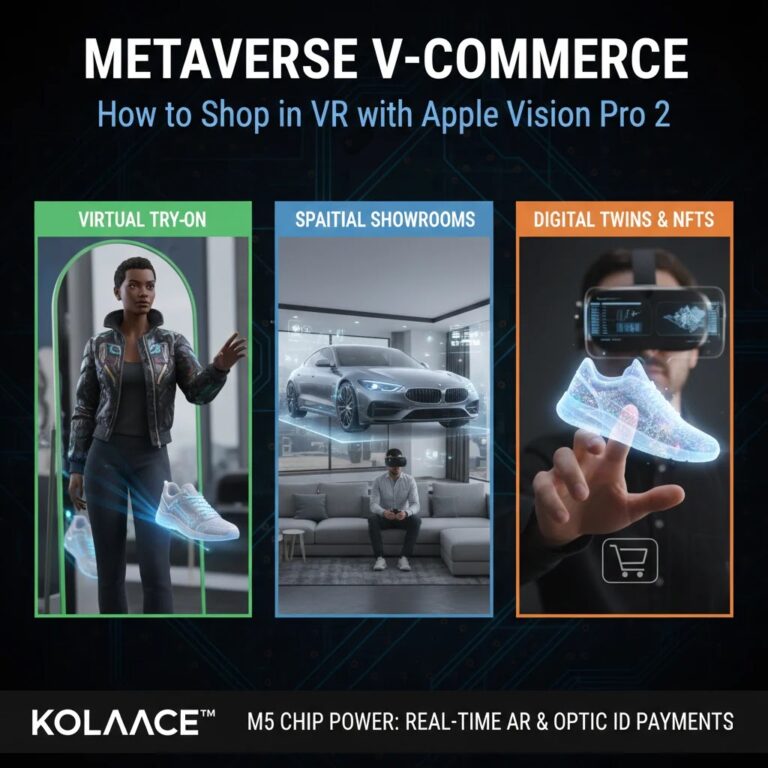
Digital payments inside mixed reality environments used to feel unfinished. Users had to pause the experience, unlock a phone, enter a password, or confirm a purchase from another device. That extra friction interrupted shopping, gaming, and app purchases.
In 2026, spatial computing platforms are finally making payments feel natural. With Apple Vision Pro 2 and OpticID, purchases can be verified through secure iris authentication directly inside the headset. Instead of switching devices, the payment confirmation becomes part of the interaction itself.
For consumers, this means faster checkouts and fewer abandoned purchases. For developers and digital businesses, it creates a smoother buying flow that can improve conversions inside immersive apps and virtual storefronts.
After testing several biometric payment systems over the last few years, one thing becomes obvious quickly. Convenience alone is not enough. Users also want security, privacy, and clear control over accidental purchases. Apple designed OpticID around those concerns, which is why the system requires both gaze verification and physical confirmation.
What Is OpticID and Why It Matters
OpticID is Apple’s iris recognition authentication system built specifically for spatial computing devices like Vision Pro 2. Unlike fingerprint scanners or facial recognition systems, OpticID analyzes the unique structure and texture patterns of your eyes using near infrared cameras and advanced machine learning.
The biggest reason this technology matters is accuracy inside immersive environments. In spatial computing, users constantly interact with floating interfaces using eye tracking. Traditional authentication methods would feel slow and disconnected in that context.
When you initiate a payment, the headset securely verifies your identity almost instantly without requiring passwords or separate authentication hardware.
- Authentication happens directly inside the headset
- Biometric data stays encrypted within the Secure Enclave
- No passwords or OTP codes are required during checkout
- Payments feel faster and more immersive
- Eye tracking creates a more natural interaction flow
For privacy conscious users, one important detail is that iris data is not uploaded to external servers. Authentication processing remains local on the device.
How OpticID Payments Work in Vision Pro 2
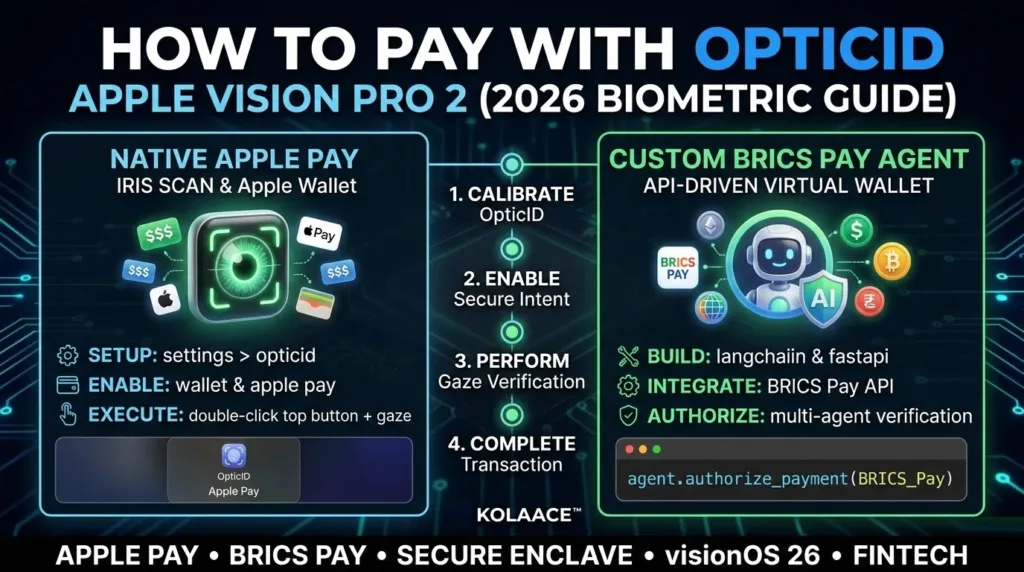
The payment process combines three layers of confirmation. This reduces accidental purchases while keeping the experience fast.
Typical OpticID Payment Flow
- User focuses on the Apple Pay or purchase button
- Vision Pro 2 detects purchase intent
- User double clicks the top button for confirmation
- OpticID verifies identity using iris recognition
- Payment is approved securely through Apple Pay
In real world testing, the process usually feels faster than FaceID because you are already looking at the interface naturally. There is less interruption between browsing and buying.
This becomes especially useful in virtual commerce applications where users explore products in 3D environments before purchasing.
OpticID vs FaceID for Digital Payments
Many users compare OpticID with FaceID because both are biometric systems from Apple. However, their usage environments are very different.
| Feature | FaceID | OpticID |
|---|---|---|
| Authentication Method | Facial mapping | Iris pattern recognition |
| Primary Device Type | iPhone and iPad | Spatial computing headset |
| Checkout Interaction | Phone based | Integrated gaze interaction |
| Immersive Environment Support | Limited | Built for mixed reality |
| Payment Experience | Separate step | Feels integrated into workflow |
One subtle difference users notice quickly is how invisible OpticID feels during use. Instead of consciously authenticating, the system blends into the interaction flow.
Step by Step Guide to Set Up OpticID Payments
1. Open OpticID Settings
Inside visionOS settings, navigate to the OpticID and Passcode section. Apple walks users through a guided calibration process.
- Wear prescription inserts if you normally use them
- Adjust headset fit before scanning
- Stay in a well lit environment during setup
A poor headset fit is one of the most common reasons users experience inconsistent scans later.
2. Add Apple Pay and Wallet Access
Once OpticID is configured, connect your payment cards through Apple Wallet.
- Add supported debit or credit cards
- Enable Apple Pay permissions
- Verify your bank if required
Some banks may require secondary verification during initial setup, especially for international cards.
3. Enable Purchase Authentication
Inside payment settings, make sure biometric authentication is enabled for:
- App purchases
- Subscriptions
- In app payments
- Retail checkout integrations
4. Test a Small Purchase
Before relying on the system regularly, complete a low value transaction to understand the confirmation flow.
- Look at the purchase button
- Double click the top button
- Wait for OpticID confirmation
- Review payment approval notification
Most users become comfortable with the interaction after one or two purchases.
Real World Use Cases for OpticID Payments
Virtual Retail Shopping
Retailers are increasingly building spatial storefronts where customers preview products in 3D before buying. Furniture brands, for example, allow users to visualize products inside their homes and complete checkout instantly.
Gaming and Digital Assets
In gaming environments, users can purchase expansion packs, skins, or virtual goods without leaving the immersive session. This creates a much smoother experience compared to traditional checkout methods.
Professional Collaboration Tools
Business users purchasing premium collaboration features or cloud upgrades inside productivity apps benefit from fast approvals without switching devices.
Subscription Services
Streaming platforms and premium media applications can reduce checkout abandonment because the payment flow takes only seconds.
Small Business and Developer Opportunities
For developers building spatial commerce apps, frictionless authentication can significantly improve purchase completion rates. Many startups underestimate how much revenue is lost during complicated checkout flows.
Pros and Cons of OpticID Payments
Advantages
- Fast and natural checkout experience
- Strong biometric security
- Reduced dependency on passwords and OTP codes
- Works seamlessly with eye tracking systems
- Improves user immersion during purchases
Limitations
- Requires proper headset positioning
- Some users may prefer traditional authentication methods
- Limited support outside the Apple ecosystem
- Long sessions may occasionally require recalibration
- Not every retailer supports spatial checkout yet
Like any biometric technology, the experience depends heavily on hardware quality and software optimization. Fortunately, Vision Pro 2 handles both well when configured correctly.
Best Practices for Reliable and Secure Payments
- Keep the headset lenses clean for accurate tracking
- Update visionOS regularly to improve performance
- Use strong Apple account security settings
- Enable transaction notifications for payment monitoring
- Avoid sharing the headset without guest mode enabled
- Review connected cards periodically inside Wallet settings
One practical habit experienced users recommend is testing OpticID responsiveness after major software updates. Small calibration adjustments can noticeably improve tracking accuracy.
Common Causes of Payment Authentication Issues
- Improper headset fit
- Dirty lenses or sensors
- Outdated visionOS version
- Low lighting conditions
- Wallet verification problems
Who Should Use OpticID Payments
Best suited for:
- Frequent digital buyers
- Early adopters of mixed reality technology
- Developers building spatial commerce apps
- Professionals using immersive productivity tools
- Users already invested in the Apple ecosystem
Possibly less suitable for:
- Users uncomfortable with biometric authentication
- People needing wide cross platform payment compatibility
- Occasional users who rarely purchase digital products
Final Thoughts
OpticID represents a major shift in how digital payments work inside immersive environments. Instead of treating authentication as a separate task, Vision Pro 2 integrates it directly into natural interaction patterns.
For users, this means faster checkouts, stronger security, and fewer interruptions. For developers and businesses, it creates opportunities to build smoother commerce experiences with lower friction and potentially higher conversion rates.
Spatial computing is still evolving, but biometric systems like OpticID show where digital payments are heading. As mixed reality shopping and immersive apps become more common, invisible authentication will likely become an expected part of the experience rather than a premium feature.
Frequently Asked Questions