International shopping in 2026 is no longer gated by high FX (Foreign Exchange) fees. BRICS Pay, the decentralized digital payment platform, now allows you to pay for goods in local currencies—whether you are in a boutique in Moscow, a mall in Dubai, or a tech hub in Mumbai. It connects national systems like UPI (India), Pix (Brazil), and CIPS (China) into a single, interoperable framework.
The beauty of BRICS Pay is its “Freedom of Choice.” You aren’t forced into a single network. Instead, you use the cards and accounts you already own, linked through the BRICS Pay App, to make instant QR-code payments that feel like local transactions.
BRICS Pay vs. SWIFT: The Retail Comparison
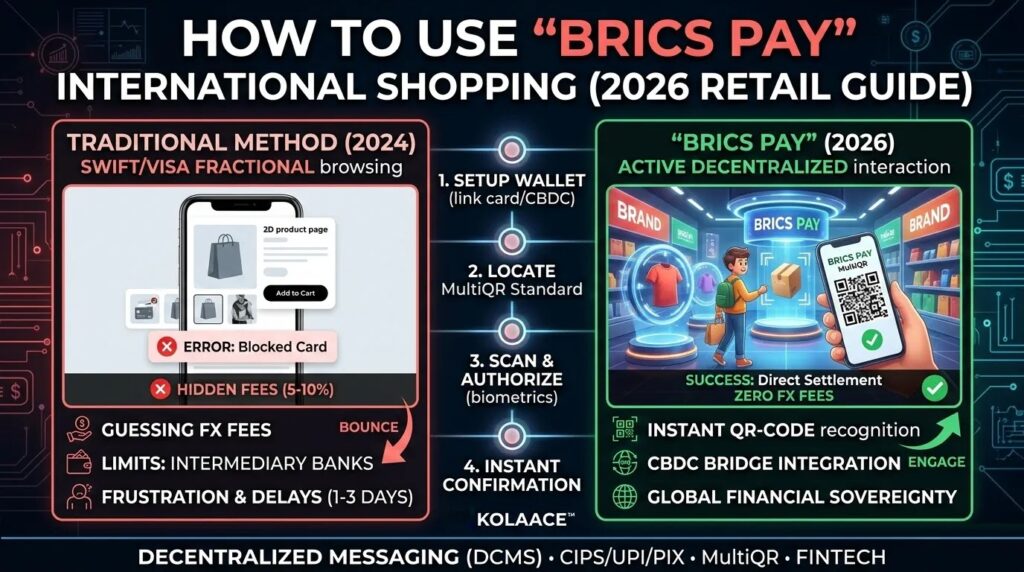
For the average shopper, the shift to BRICS Pay is about Speed and Transparency. Unlike the traditional banking system where “hidden” intermediary fees can eat 5-10% of your transaction, BRICS Pay utilizes direct settlements.
| Feature | Traditional (SWIFT/Visa) | BRICS Pay (2026) |
|---|---|---|
| Transaction Speed | 1-3 Business Days | Near Real-Time |
| FX Fees | 3% – 7% Markup | Direct National Rates |
| Merchant Costs | High (MDR fees) | Zero to Low Integration |
Market Growth: The Rise of Cashless BRICS+
By Q1 2026, BRICS Pay has successfully integrated with payment infrastructures in the UAE, Egypt, and Türkiye, leading to a surge in cross-border C2B volume.
BRICS Pay User Adoption (2024-2026)
*Total active retail users across BRICS+ integrated corridors.*
Step-by-Step: Shopping with BRICS Pay
1. Setup Your BRICS Pay Wallet
Download the official BRICS Pay Wallet from the Play Store or App Store.
- Register using your phone number.
- Link your existing bank card or national card.
- In 2026, you can also link your CBDC (Central Bank Digital Currency) for direct bridge payments.
2. Identify the MultiQR Standard
When shopping at a physical retail store, look for the BRICS Pay Logo or a MultiQR sticker at the checkout terminal.
3. Scan and Authorize
Open the app, tap “Scan QR,” and point your camera at the merchant’s display.
- The app will automatically calculate the real-time conversion rate.
- Confirm the amount.
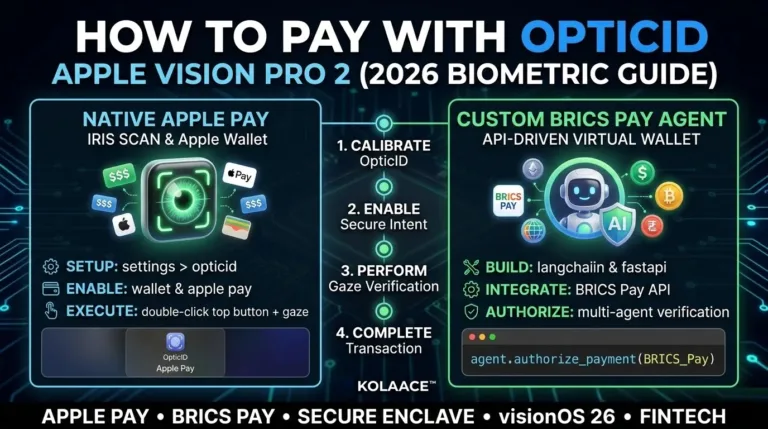
- Use biometric verification (like OpticID or Fingerprint) to authorize.
4. Instant Merchant Confirmation
The merchant receives a payment confirmation in less than 2 seconds via Decentralized Messaging (DCMS), and you receive a digital receipt instantly.
Conclusion: A Multi-Polar Shopping Future
The 2026 update to BRICS Pay has finally solved the “last mile” problem of international retail. By connecting local QR standards into one global mesh, it allows consumers to shop with Financial Sovereignty.