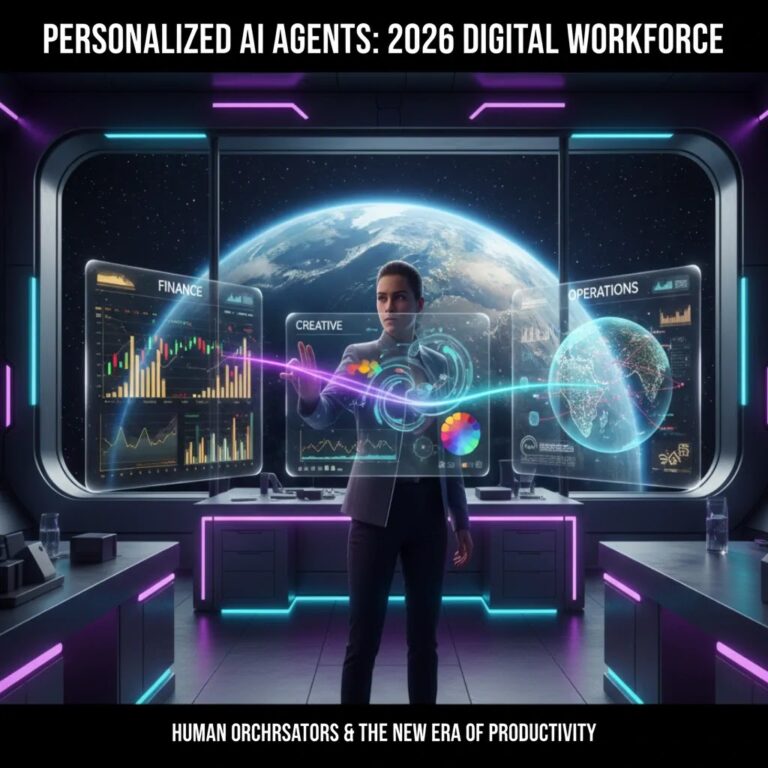
Stack Overview
- 7-Layer Architecture: A practical system design that covers content, operations, analytics, and decision-making.
- Built for Real Workflows: Designed to complement hybrid teams where humans supervise and AI executes.
- Efficiency Impact: Businesses commonly reduce repetitive workload by 40 to 60 percent after proper setup.
- Scalable Growth: Start small and expand without rebuilding your system.
Most businesses do not fail because of lack of tools. They fail because their tools do not work together. In 2026, the real advantage is not using AI individually, but building a connected system that runs daily operations with minimal manual effort.
An AI automation tech stack is simply a structured combination of tools that handle tasks like content creation, customer communication, sales tracking, and analytics. When implemented correctly, even a small business can operate like a much larger company without increasing staff.
For example, a local shop owner can automate order confirmations, payment tracking, and customer follow-ups using messaging tools and simple workflows. This removes manual coordination and reduces errors.
2026 Automation Benchmarks
A realistic snapshot of how different automation categories perform in real business environments.
| Category | Primary Utility | Automation Level |
|---|---|---|
| AI Content Tools | Blog writing, ad copy, video scripts | High (85%) |
| Workflow Platforms | Connecting apps and automating tasks | Very High (95%) |
| AI Analytics | Insights, forecasting, decision support | Extreme (100%) |
These numbers are not theoretical. In practical usage, analytics systems already operate with near full automation, while content and workflows still require some human supervision for quality control.
The 7-Layer AI Automation Stack
Instead of randomly selecting tools, it is more effective to think in layers. Each layer solves a specific problem and connects with the next.
- Layer 1: Content and Communication
Handles emails, social media posts, ads, and messaging automation. This is where most businesses start. - Layer 2: Workflow Engines
Connects tools using triggers and actions. For example, when a customer fills a form, it automatically updates CRM and sends a message. - Layer 3: Sales and Funnels
Tracks leads and moves them through a structured journey from interest to purchase. - Layer 4: Customer Experience Automation
Includes chatbots, automated replies, and support systems that handle common queries instantly. - Layer 5: Analytics Intelligence
Tracks user behavior, campaign performance, and revenue metrics in real time. - Layer 6: Operations and Finance
Manages billing, expense tracking, and financial predictions. - Layer 7: Autonomous Decisions
Advanced systems that adjust pricing, ad budgets, or targeting based on data patterns.
Adoption of Integrated AI Stacks
Shift from isolated tools to fully connected systems.
Step by Step: How to Build Your AI Stack
Step 1: Identify Repetitive Tasks
Start by listing tasks that consume time daily. Examples include replying to common messages, updating spreadsheets, or tracking leads.
Step 2: Simplify Before Automating
If a process is messy, automation will only make it worse. Clean up your workflow first, then automate it.
Step 3: Implement Workflow Automation
Use a workflow tool to connect apps. This is usually the highest impact step because it removes manual coordination.
Step 4: Add Analytics Layer
Once your system runs automatically, track what is working. Without data, automation becomes guesswork.
Step 5: Scale Gradually
Add advanced features like predictive analytics or automated decision-making only after the basics are stable.
Real World Use Cases
Local Retail Shop
Automates order confirmations, sends payment links, and tracks deliveries. Result is faster service with fewer staff.
Freelancer or Creator
Uses AI for content drafts, scheduling posts, and managing client inquiries. This reduces workload and improves consistency.
Coaching or Tuition Business
Automates student onboarding, reminders, and follow-ups. This improves conversion and reduces missed opportunities.
Pros and Cons of AI Automation
Advantages
- Saves significant time on repetitive work
- Improves accuracy and reduces human error
- Allows small teams to scale operations
- Provides data-driven decision making
Limitations
- Initial setup can feel complex
- Over automation can reduce personalization
- Requires ongoing monitoring and updates
Who Should Use This Stack
- Small business owners looking to reduce workload
- Freelancers managing multiple clients
- Startups aiming to scale without hiring quickly
Who Should Avoid It
- Businesses without clear processes
- Teams unwilling to adapt to new tools
Best Practices for Long Term Success
- Start with one workflow, not everything at once
- Always test automation before scaling
- Keep human oversight for quality control
- Regularly review analytics and improve systems
“In 2026, the competitive edge comes from systems that run efficiently, not from working longer hours.”
Conclusion
AI automation is no longer optional. The real opportunity lies in building a connected system that works reliably every day. Start small, focus on solving real problems, and expand gradually. Businesses that treat automation as a long term strategy, not a quick hack, see the best results.
Frequently Asked Questions
No. Many tools offer affordable plans. You can begin with basic workflows and scale as your business grows.
Simple automations can show results within days. More advanced systems may take a few weeks to optimize.
Not necessarily. Many modern tools are no code or low code, designed for non technical users.
It is better to think of automation as support. It handles repetitive tasks so people can focus on higher value work.