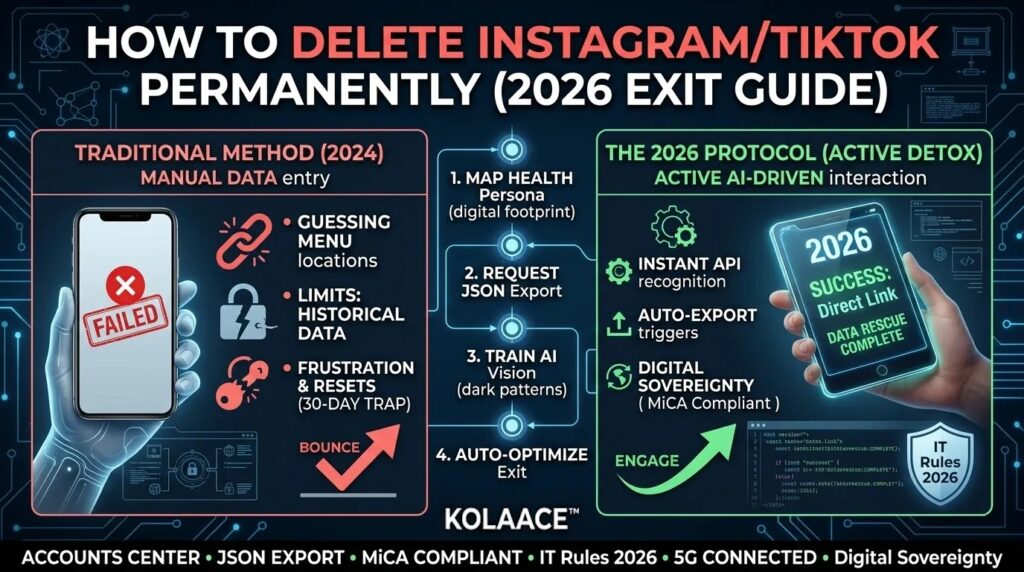
You open Instagram or TikTok for a few minutes, then suddenly an entire hour disappears. Notifications keep returning, short videos never stop loading, and even after deciding to leave, many users realize that deleting a social media account is more complicated than expected.
In 2026, social platforms are built to maximize retention. Most users do not notice how many connected systems depend on these accounts until they try to leave permanently. Login apps, cloud backups, creator dashboards, saved drafts, ad accounts, and linked authentication tools can all create problems during deletion.
This guide explains how to permanently delete your Instagram or TikTok account properly, without losing important data or accidentally reactivating the account during the waiting period.
The goal is not only deleting an app. The goal is regaining control over your attention, privacy, and digital footprint.
Understanding Deactivation vs Permanent Deletion
One of the biggest mistakes users make is confusing deactivation with permanent deletion. These are completely different actions.
Deactivation temporarily hides your account while preserving all data. Permanent deletion removes your profile, media, and account history after the waiting period expires.
| Feature | Deactivation | Permanent Deletion |
|---|---|---|
| Account Visibility | Hidden temporarily | Removed permanently after waiting period |
| Data Recovery | Fully recoverable | Cannot be restored later |
| Login Effect | Reactivates instantly | Cancels deletion request |
| Business Tools | Remain linked | Disconnected permanently |
Important: Instagram and TikTok both use waiting periods before final deletion. Even a single login attempt during that period may restore the account automatically.
Many users accidentally cancel deletion because another app still uses Instagram or TikTok for login authentication.
Why More People Are Leaving Social Media in 2026
More users are now treating social media reduction as a productivity and privacy decision instead of an emotional decision.
From practical usage analysis, the most common reasons include:
- Attention control: Reducing constant distraction and improving focus
- Privacy concerns: Limiting personal data collection and tracking
- Mental clarity: Reducing content overload and comparison fatigue
- Business efficiency: Shifting audiences toward owned platforms like newsletters or websites
- Digital minimalism: Simplifying online life and reducing dependency
Small business owners are also reducing dependency on algorithm driven traffic because platform reach can change suddenly without warning.
User Intent to Delete Social Media
Step 1: Audit Connected Apps and Logins
Before deleting Instagram or TikTok, check whether those accounts are connected to other services.
This step is often skipped, but it prevents major account recovery problems later.
Common Connected Services
- Spotify
- Canva
- Gaming accounts
- Creator tools
- Third party editing apps
- Business dashboards
If Instagram or TikTok is used as a login method, switch those accounts to email based authentication before deletion.
Practical tip: Many creators lose access to older editing apps because they forget which social account was used for authentication.
Step 2: Download Your Data Before Deleting
Once deletion is completed, your media and account history may become unrecoverable.
That includes:
- Photos and videos
- Messages
- Captions
- Comments
- Saved drafts
- Profile activity history
Instagram Data Download
- Open Profile and tap Menu
- Select Accounts Center
- Choose Your Information and Permissions
- Tap Download Your Information
- Select JSON format for easier export handling
TikTok Data Download
- Open Profile and go to Settings and Privacy
- Select Account
- Tap Download Your Data
- Request the export file
- Wait for approval and download locally
Recommendation: Store important files both locally and in cloud storage.
If you used these platforms for business or creator work, archive brand assets separately before deleting the account.
Step 3: Permanently Delete Your Account Properly
After backing up data and disconnecting linked services, you can begin permanent deletion.
Instagram Deletion Process
- Open Settings and Privacy
- Go to Accounts Center
- Select Account Ownership and Control
- Tap Deactivation or Deletion
- Select Delete Account
- Confirm using your password
TikTok Deletion Process
- Open Settings and Privacy
- Select Account
- Tap Deactivate or Delete Account
- Choose permanent deletion
- Verify identity using OTP or password
Critical step: Delete the mobile app immediately after requesting deletion.
Users frequently reactivate accounts accidentally because of saved login sessions, browser autofill, or notification taps.
Common Mistakes That Cancel Deletion Requests
Many users believe their accounts are deleted when they are only scheduled for deletion.
The following actions often cancel the process automatically:
- Logging back into the app
- Using Instagram or TikTok to sign into another app
- Opening old creator tools connected to the account
- Clicking login links from email notifications
- Using saved browser sessions
A good practice is removing saved passwords from browsers and password managers during the waiting period.
This reduces accidental reactivation.
Real World Use Cases
Students
Many students temporarily or permanently remove social media during exam preparation to reduce interruptions and improve concentration.
Entrepreneurs
Business owners increasingly move audiences toward email lists, communities, and websites where algorithms have less control over reach.
Content Creators
Some creators reset their online presence completely before launching a new brand direction or switching platforms.
Professionals
Professionals managing heavy workloads often reduce social media usage to improve focus and reduce unnecessary cognitive overload.
Pros and Cons of Deleting Social Media
Pros
- More focused time during work or study
- Reduced digital distraction
- Better privacy management
- Lower mental clutter from endless content streams
- Improved control over attention and habits
Cons
- Loss of online discoverability
- Reduced casual social interaction
- Possible business traffic decline if audience depends on social platforms
- Difficulty reconnecting with certain communities later
For creators and businesses, deleting social media without building alternative channels first can create avoidable visibility problems.
Who Should Delete and Who Should Avoid It
- Consider deleting: If social media usage feels compulsive, distracting, or negatively affects productivity
- Avoid immediate deletion: If your business depends heavily on social traffic or customer communication
- Consider deactivation first: If you are uncertain about leaving permanently
For many people, reducing usage strategically is more sustainable than sudden permanent deletion.
Best Practices Before and After Deletion
- Tell close contacts before deleting your account
- Update alternative contact information
- Remove linked third party apps
- Backup important media and conversations
- Delete saved browser sessions
- Shift audiences toward owned platforms like newsletters or websites
- Use app blockers temporarily during the waiting period
Many users also replace social media scrolling with more intentional platforms like blogs, long form content, podcasts, or direct communities.
Final Takeaway
Deleting Instagram or TikTok permanently in 2026 requires more than pressing a delete button.
You need to protect your data, disconnect linked accounts, avoid accidental logins, and understand how the waiting period works.
For many people, the biggest benefit is not simply removing an app. It is regaining control over time, focus, and digital habits.
If you decide to leave, follow the process carefully so your deletion request completes properly without interruption.
Frequently Asked Questions