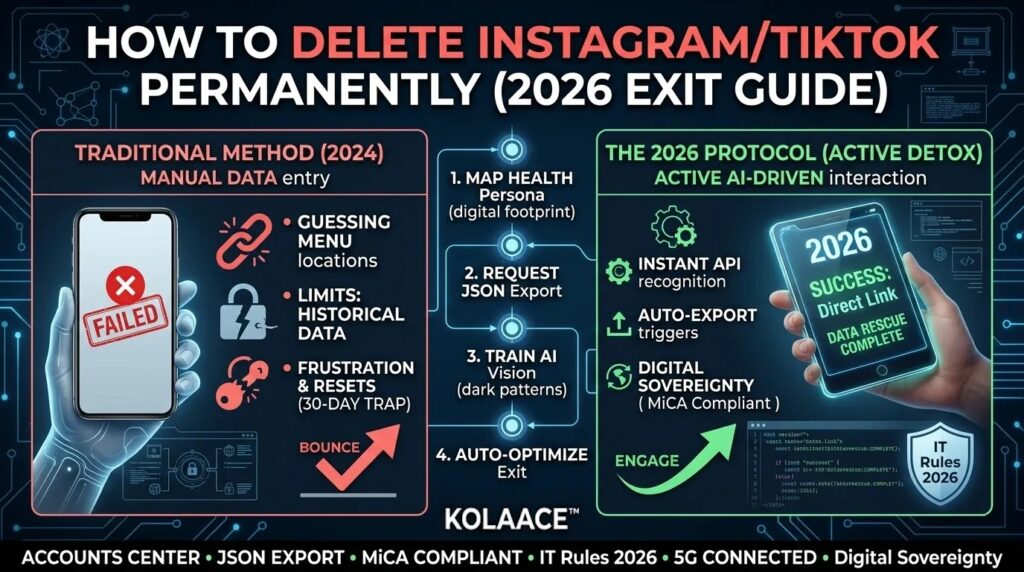
The social media landscape of 2026 is vastly different from years past. With the introduction of mandatory AI Labeling and the 3-hour takedown window for unlawful content, many users feel that the “social” aspect of these platforms has been replaced by heavy-handed moderation and algorithmic fatigue. If you’ve decided to pull the plug, you need to navigate the 2026 “Dark Patterns” designed to keep you scrolling.
Whether you’re moving to quantum-secure platforms or simply going offline, this guide ensures your data doesn’t stay behind on Meta or ByteDance servers.
Deactivation vs. Permanent Deletion (2026 Matrix)
Before you hit the button, understand that platforms have added a “Cooling Off” period. In 2026, the standard recovery window is 30 days. If you log in once during this time, the deletion request is voided.
| Feature | Deactivation (Temporary) | Deletion (Permanent) |
|---|---|---|
| Visibility | Hidden (Invisible) | Wiped after 30 days |
| Data Retrieval | Instant Reactivation | Impossible after 30 days |
| Username | Reserved for you | Released to public |
Market Growth: The Rise of “Digital Minimalists”
In 2026, “Digital Detox” is no longer a trend—it’s a massive industry. Survey data from the State of Social 2026 shows a 25% surge in users actively seeking ways to reduce their digital footprint.
Social Media Deletion Intent (2024-2026)
*Percentage of users planning to delete at least one major social account.*
Step 1: The “Digital Rescue” (Download Your Data)
Once you delete, your memories are gone. Both Meta and TikTok have significantly improved their Export to Device tools in 2026 due to data portability laws.
For Instagram:
- Go to Profile > Menu > Accounts Center.
- Tap Your Information and Permissions > Export your information.
- Select Export to Device. (Pro Tip: Choose JSON format for better long-term compatibility).
- Wait for the notification (usually within 5-15 minutes in 2026).
For TikTok:
- Tap Profile > Menu ☰ > Settings and Privacy.
- Tap Account > Download your data.
- Choose JSON and request the data. Note: This does not include your video files; you must download those manually or via a bulk downloader.
Step 2: Permanent Deletion (The 2026 Workflow)
How to Delete Instagram Permanently
- Open the Instagram app and navigate to Settings and Privacy.
- Tap the Accounts Center banner at the top.
- Select Personal Details > Account Ownership and Control.
- Tap Deactivation or Deletion and choose your account.
- Select Delete Account and follow the prompts to enter your password.
- The Trap: Delete the app immediately. If you accidentally open it on any device within 30 days, you’ll be logged back in, and the process resets.
How to Delete TikTok Permanently
- In the TikTok app, tap Profile > Menu ☰ > Settings and Privacy.
- Tap Account > Deactivate or delete account.
- Select Delete account permanently at the bottom.
- TikTok will ask for a reason; select any and tap Continue.
- Verify your account via the SMS or Email code. Once you confirm, your account enters a 30-day “Ghost” state before permanent removal.
Conclusion: Life After the Feed
Deleting your Instagram or TikTok account is more than a technical step; it’s a commitment to your focus. By following the 2026 “Digital Rescue” and bypass the 30-day reactivation trap, you can ensure your data is permanently removed. Whether you are transitioning to AI-integrated health tools or simply regaining your time, your 2026 exit is now complete.